Run your entire construction business from one place.
Leads, estimates, sites, materials, vendors, bills, labour, payments and reports — connected in one construction ERP built for Indian builders.
07 suites180+ capabilitiesGST · TDS · RERA · TallyEnglish · தமிழ்
Still running your projects on WhatsApp, Excel and notebooks?
It works — until you are running four sites. Read the left column. Every line you recognise, the right column is what replaces it.
Everything is connected. Nothing gets lost between modules.
This is what makes it an ERP rather than another construction app. A site is not one more record — it is where schedule, materials, labour and expense all land before they become a bill.
→ estimate → site → milestones → bills → payments → reports. Nobody retypes the name, the rate or the plot size again.
→ purchase orders → vendor bills → materials → labour → expenses → profit. The profit figure is not compiled at month end; it is what the entries already add up to.
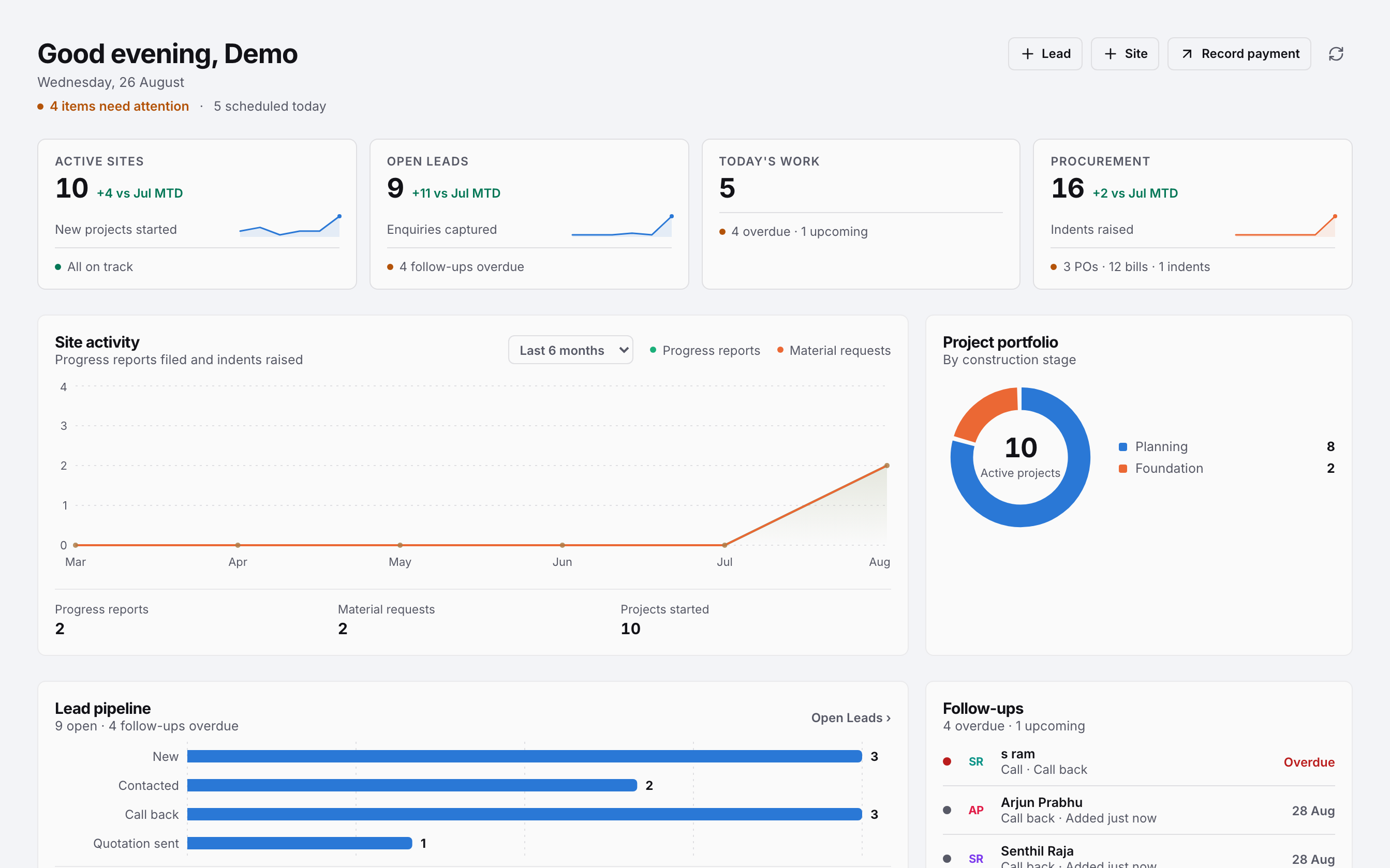
Turn enquiries into signed projects.
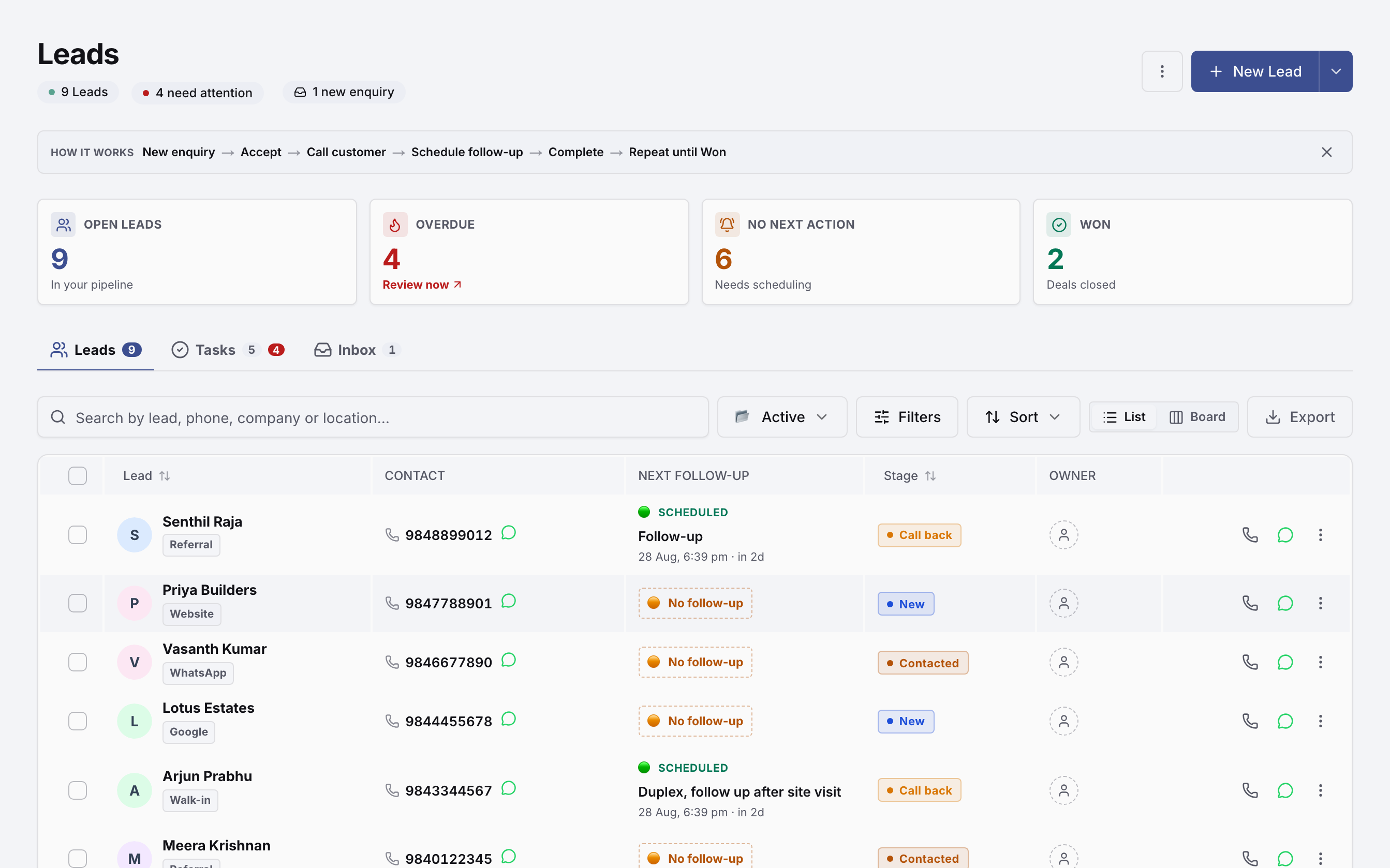
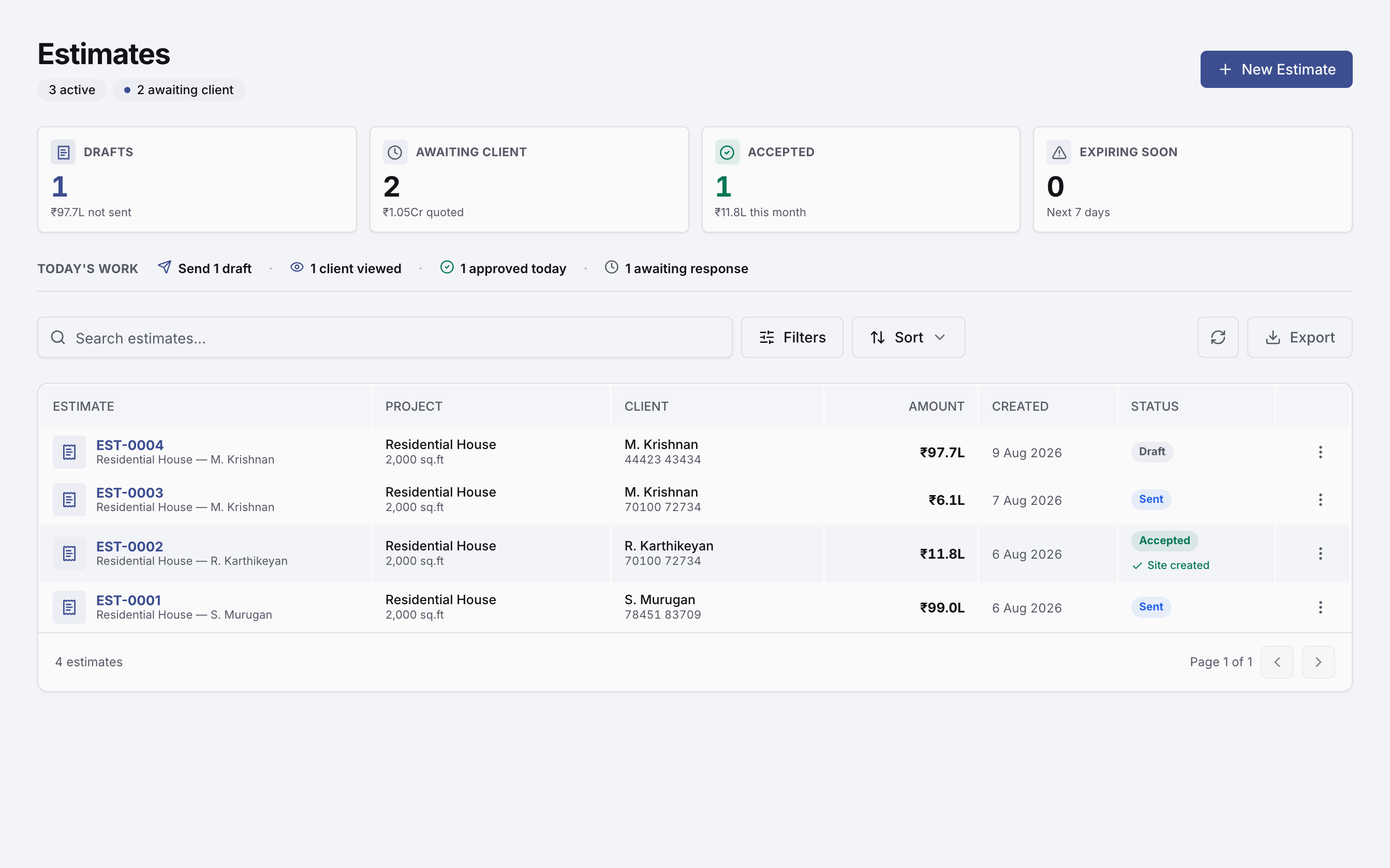
Capture leads from your website, WhatsApp and Meta ads into one inbox. Follow up, qualify, estimate and convert — without losing the conversation along the way.
Know what’s happening at every site.
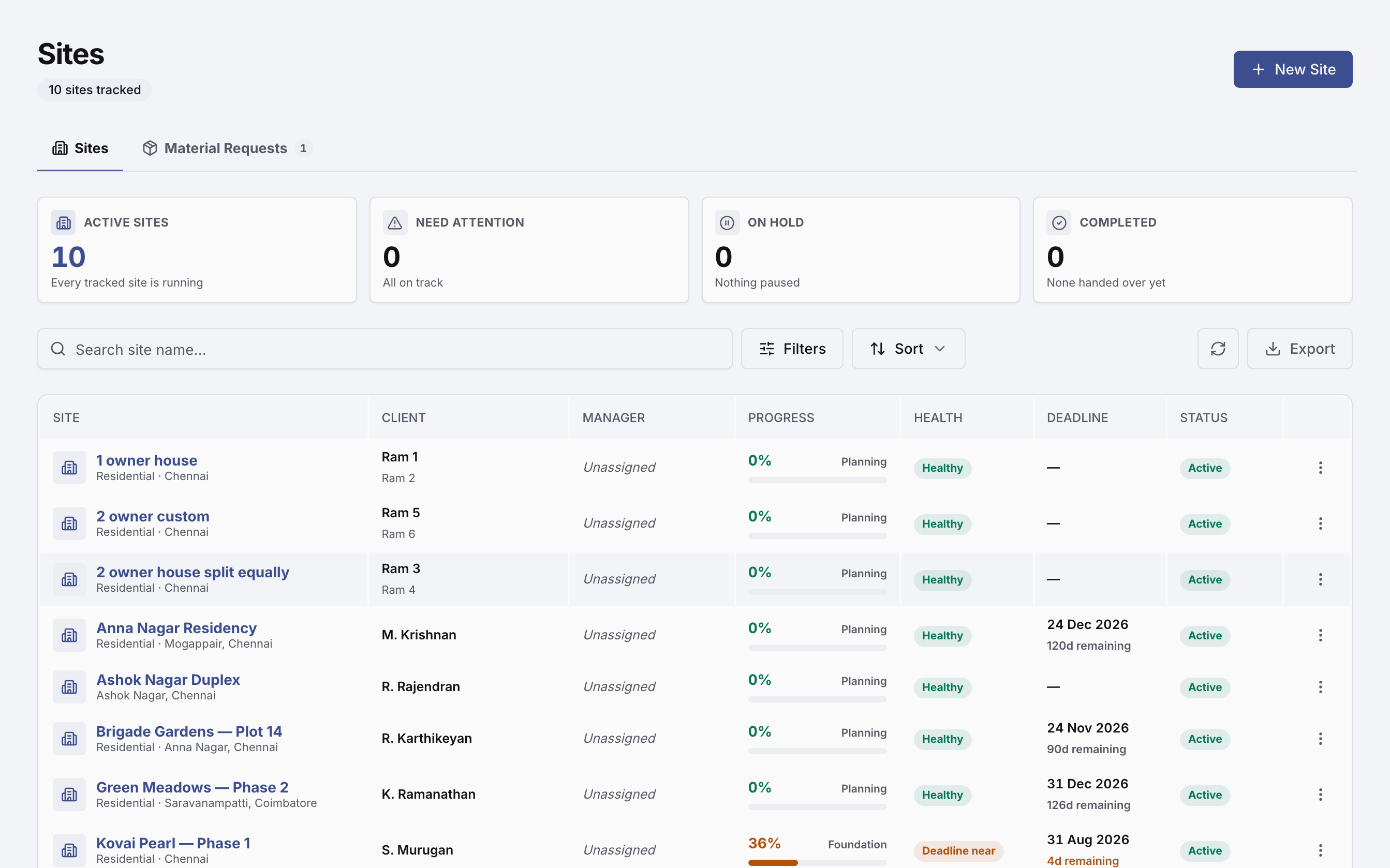
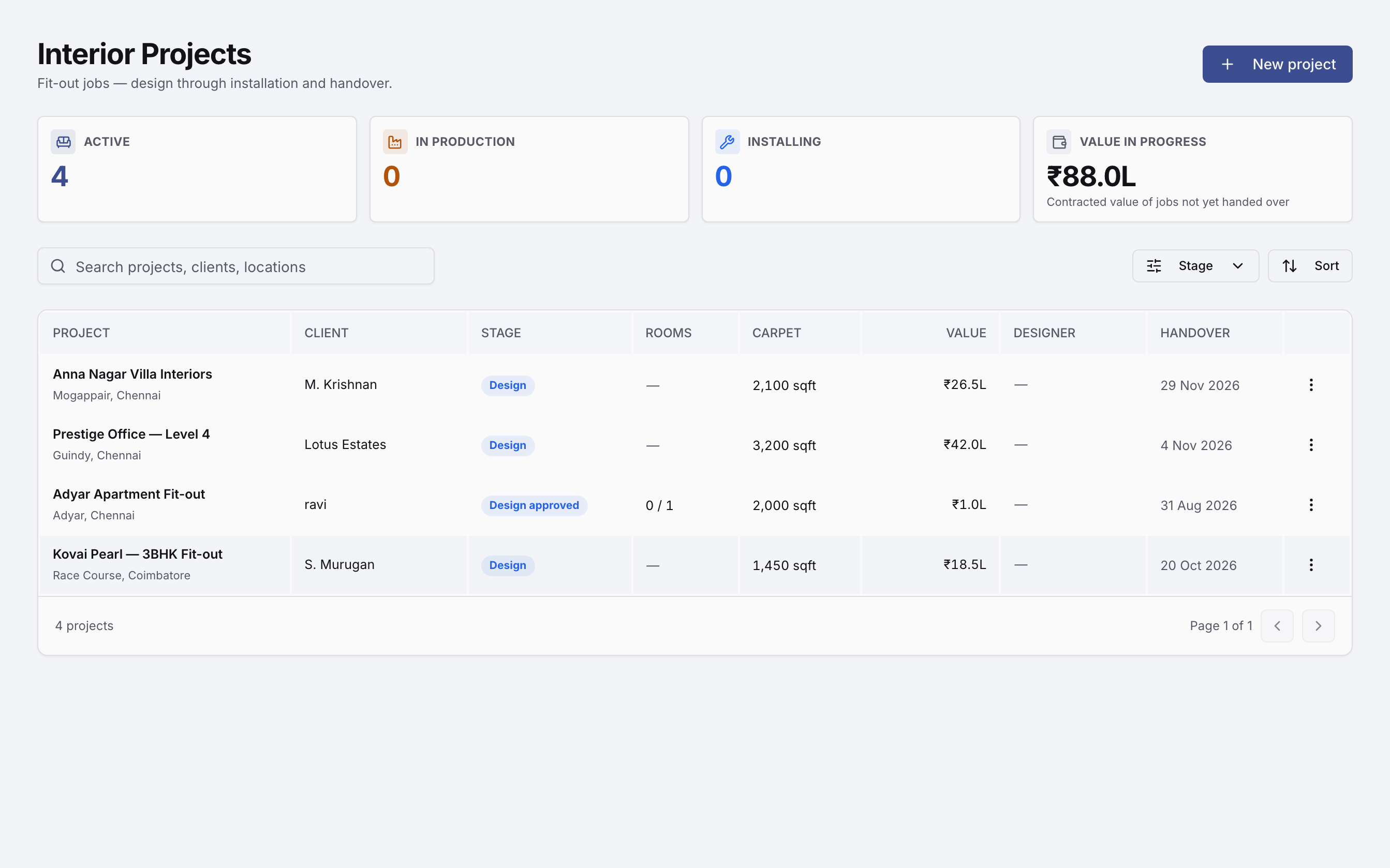
Every site carries its own stage-wise payment plan, team, change orders and running cost. Progress is logged at the site, so budget versus actual is something you can see today, not reconstruct at month end.
Control materials, purchases and money.
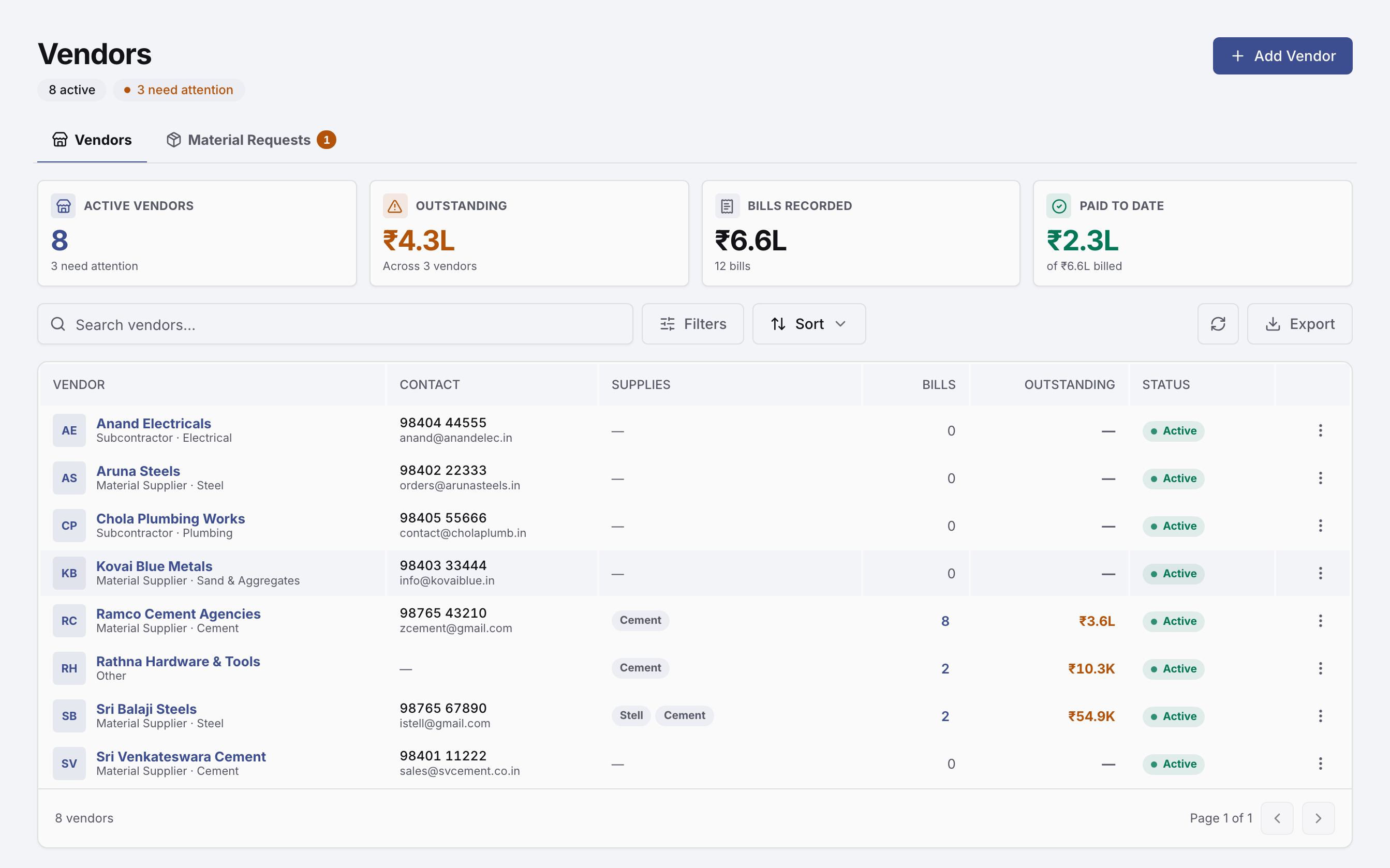
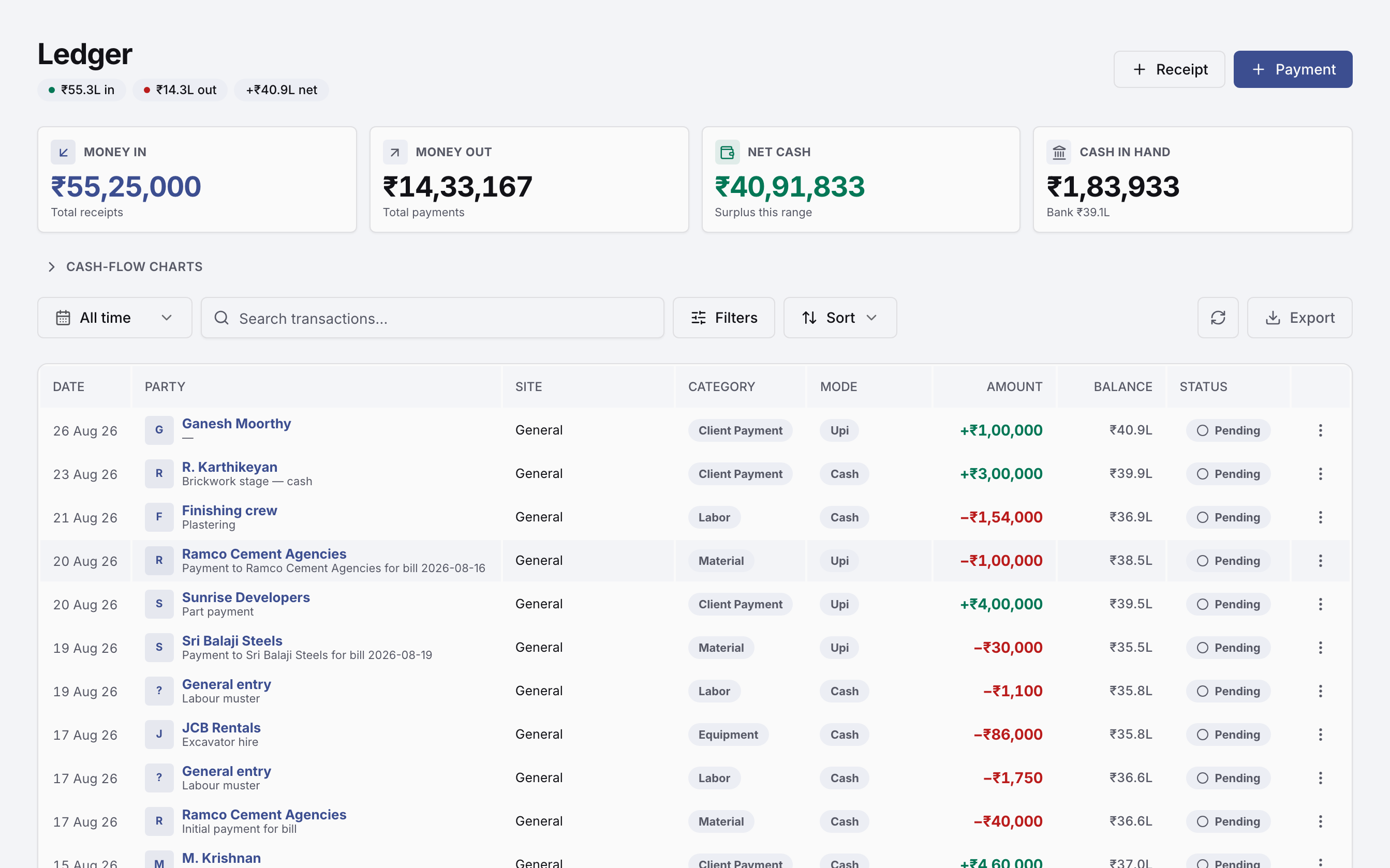
A purchase order first, then the bill matched against it, then payment. Stock in, stock issued to site, stock on hand. Every rupee posts to one append-only cash book against the site that spent it, with GST and TDS on the transaction itself.
Attendance and payroll without spreadsheets.
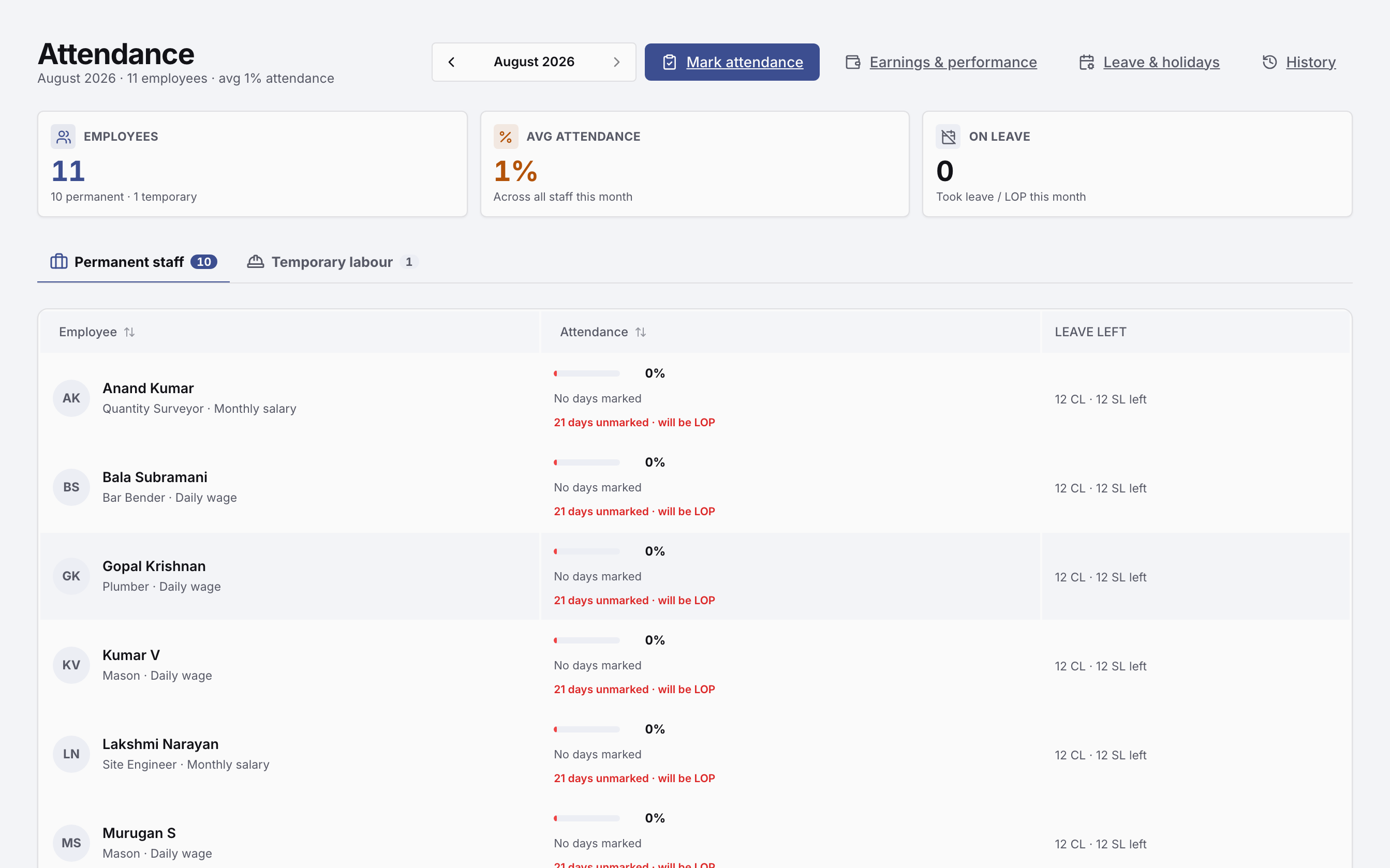
The supervisor marks the day’s muster from his phone — mason, helper, maistry. That same muster is what payroll runs on at month end, and the run posts straight to the site’s ledger as labour cost.
A Tuesday, start to finish.
This is software you open every morning, not a system you install and forget.
Built for construction businesses in India.
Not a global product with an India setting bolted on. The tax, the units and the paperwork are the ones your accountant and your client already use.
Everything your construction business needs.
Licensed suite by suite, not as one bundle. Start with what you need today and add the rest as you grow.
See it in action.
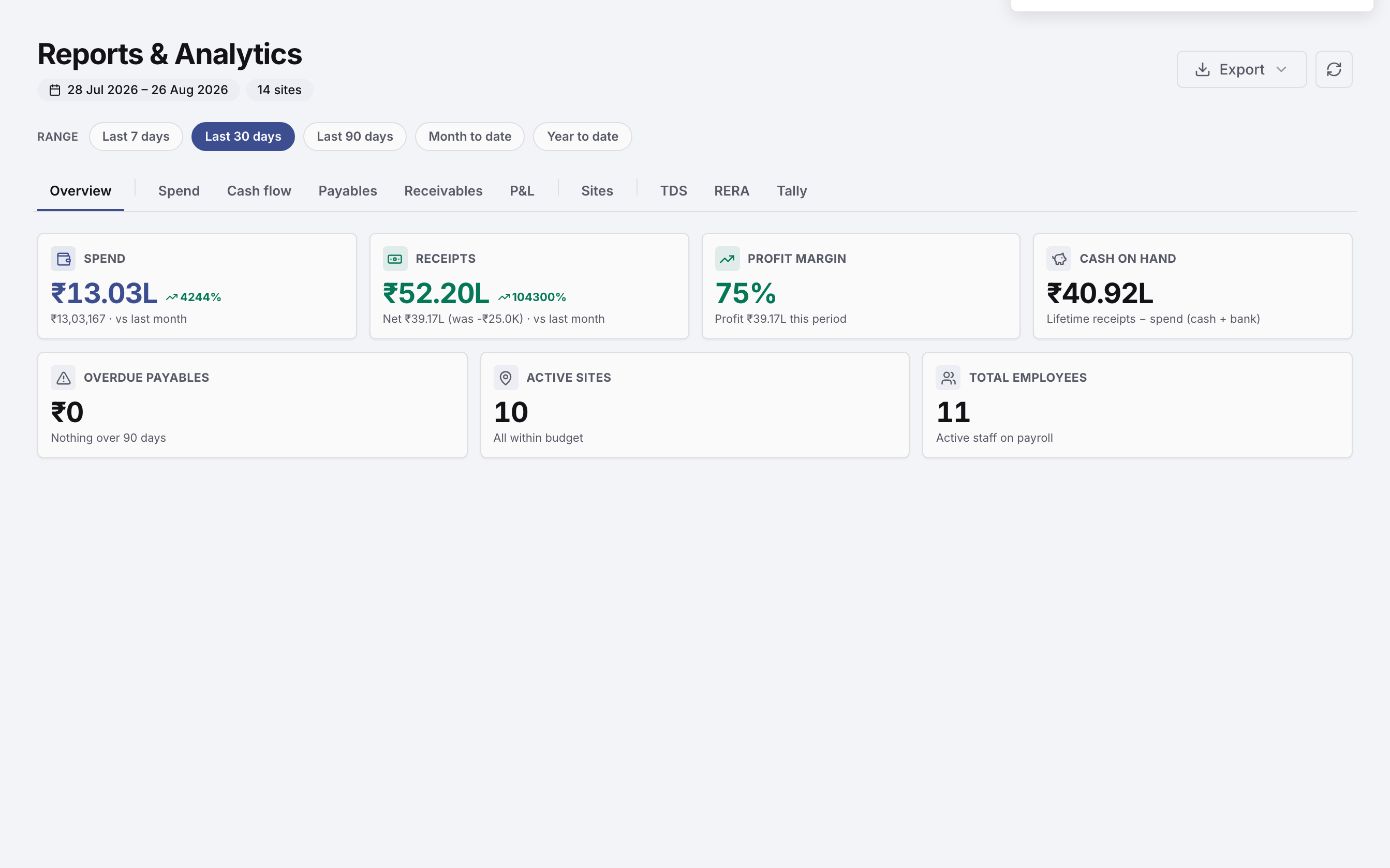
Pick the part of your business you care about. One screen at a time, from a real workspace.
Priced by the sites you run.
Never per user, so adding your whole team costs nothing. There is no free plan — send an enquiry, we demo it, then set it up on one of your real projects for a fortnight.
We set it up on one of your real projects. Your team, your numbers, an onboarding call. No card.
Request a trialEvery module, unlimited team, priority onboarding and free migration from your spreadsheets.
Book a demoWhat builders ask us first.
The questions that come up in every demo, answered the way we answer them on the call.
My supervisor can barely use a smartphone. Will he manage this?
The two things a supervisor does every day are built for exactly that. Attendance opens with the whole crew already marked present — he taps only the people who did not come. Progress is a photo and a line of text. Nothing else on his phone needs a keyboard, and we train him in Tamil on a call.
Will my competitor or anyone else see my data?
No. Every tenant is isolated — your company's records are separated at the database level, not filtered in the screen, and every read is checked against your company on the server. Inside your own company you decide who sees what, module by module, and pay is gated separately from everything else.
There is no network at my site. Does it still work?
Partly, and it is worth being precise. The mobile app keeps a read cache, so what was already loaded stays readable with no signal. Marking attendance or saving progress needs a connection at the moment you save. Most site teams do it from the gate or the site office where there is signal; full offline entry is on the roadmap, not in the product.
I already have two years of data in Excel. Do I lose it?
No — we bring across what is worth bringing during setup: your sites and their budgets, employees and wage rates, vendors with GSTIN and outstanding balances, and materials. Line-by-line history from closed projects is usually not worth the effort, and we will tell you when we think that is the case rather than quietly charging for it.
Is my accountant going to fight me on this?
Usually the opposite, because nothing is taken away from them. GST is split as CGST and SGST within the state and IGST outside it on every bill and invoice, TDS is recorded with section and rate on the payment itself, and ledger vouchers export as Tally-compatible XML. They keep working in Tally; they just stop chasing you for paper.
Can I file GSTR from inside the app?
No. The app produces GST-correct invoices and bills and exports to Tally, but GSTR filing reports are on the roadmap and not in the product today. If filing from inside the software is a hard requirement for you this month, say so on the demo and we will tell you plainly that we are not there yet.
What isn't in the standard package.
Worth knowing before you buy, not after.
- RoadmapPublic API for third-party integrations
- RoadmapTamil interface inside the app — this catalog is bilingual today, the workspace is not yet
- RoadmapGSTR filing reports
- RoadmapBiometric attendance device sync
- RoadmapLive two-way Tally sync — today it is an XML export
- RoadmapMulti-currency
Your construction business is already complicated. Your software shouldn’t be.
Bring leads, projects, materials, labour, billing and payments into one place. We will set it up on a project you are already running.
Free Excel migration · guided setup · built for Indian construction businesses